AI Assistant
Ask VaultPanel's AI assistant why something is not working. It reads status and logs with your permissions and proposes fixes that run only when you approve them.
The AI assistant answers questions about your servers, websites and apps. It checks status, logs, ports and recent jobs through the panel, explains what it finds, and proposes fixes as cards you approve or cancel. It never changes anything on its own.
It answers with Claude by default, with any OpenAI-compatible service, or with a free model installed on the panel's own server. An owner or admin chooses the provider and turns the assistant on under System > Assistant Settings; see AI providers.
Asking a question
Open AI Assistant in the sidebar and type a question, for example "Why does shop.example.com show a 502?". Press Enter to send, Shift+Enter for a new line.
While it works, the assistant shows what it is checking ("Reading the nginx log", "Checking php8.3-fpm"). It leads with the cause, quotes the log lines that matter, then says what to do. Follow-up questions in the same conversation keep the earlier context.
Conversations are private: only the person who asked sees them. Each person can ask up to 60 questions an hour.
What it can read
The assistant has a fixed set of tools. Each one runs through the panel's normal services as the person who asked, with their permissions, so it can never see more than they can.
| Tool | What it reads |
|---|---|
list_servers, get_server | Servers, their status, CPU, memory, disk, load, services, installed web software and open alerts. |
find | Websites, domains, apps and databases by name or domain. |
get_website | A website's type, domains, health check, SSL certificate and expiry, the app it serves and recent jobs. |
get_application, get_deployment | An app's process state, port, start command, release, last error and deployments. Environment variable values are never shown. |
read_website_log | The last lines of a website's NGINX access or error log. |
read_application_log | The last lines of an app's output or error log. |
check_service, read_service_log | A systemd service's state and its journal. |
read_system_log | The server's journal, kernel messages, sign-ins or cron, filtered by priority, text and time. |
list_processes, list_listening_ports | Top processes by CPU or memory, and which programs listen on which TCP ports. |
list_alerts, list_recent_jobs, get_job | Open alerts and recent operations with their results and logs. |
list_databases | MariaDB databases with their size and the app they belong to. |
Log and status reads on a server run as ordinary routine jobs and wait up to a minute for the agent. A log read returns up to 400 lines (150 by default), and each tool result is cut at 12,000 characters.
The assistant is told to treat logs and command output as data, never as instructions, and to write [hidden] instead of repeating passwords, keys or tokens it sees.
Proposed actions
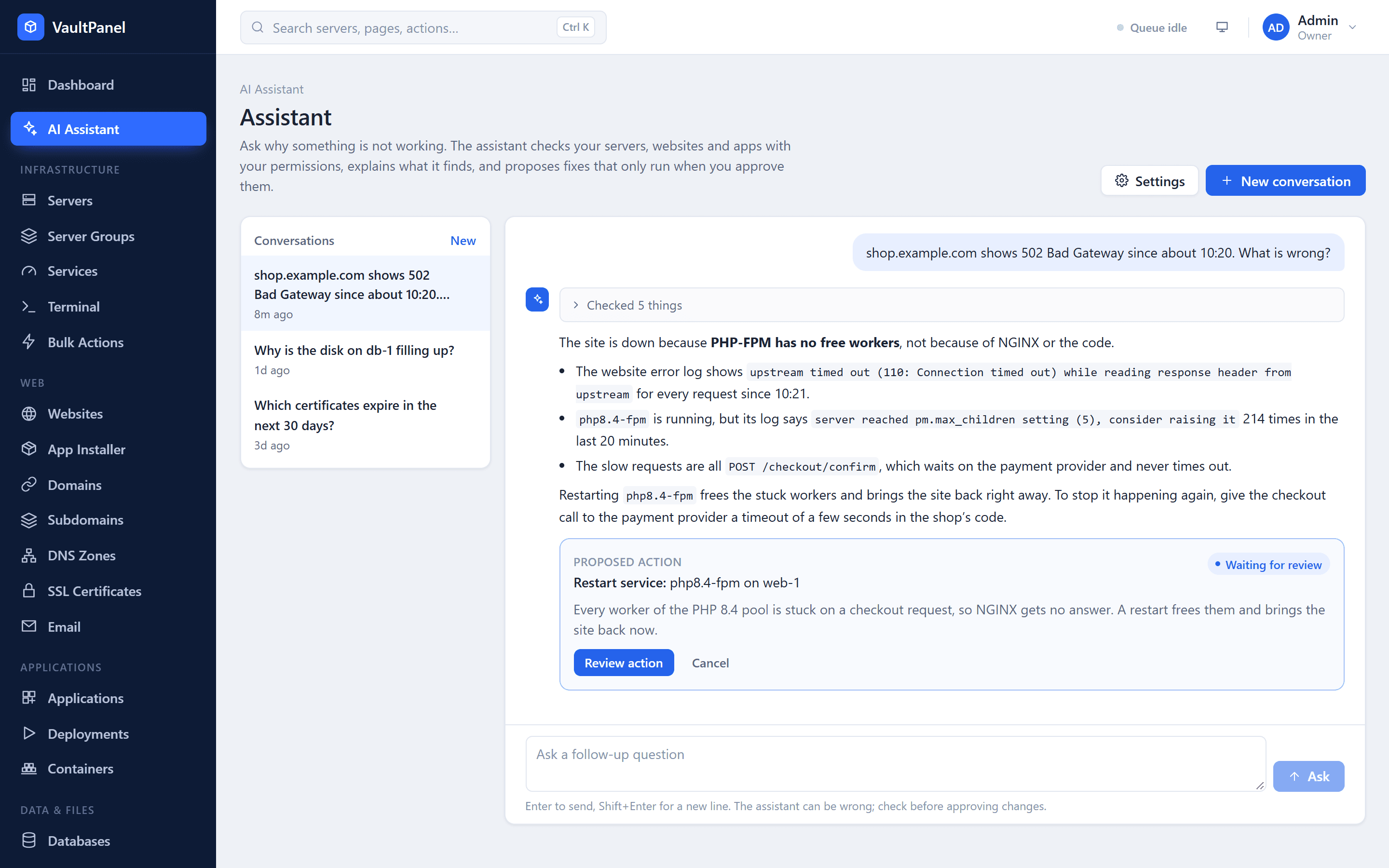
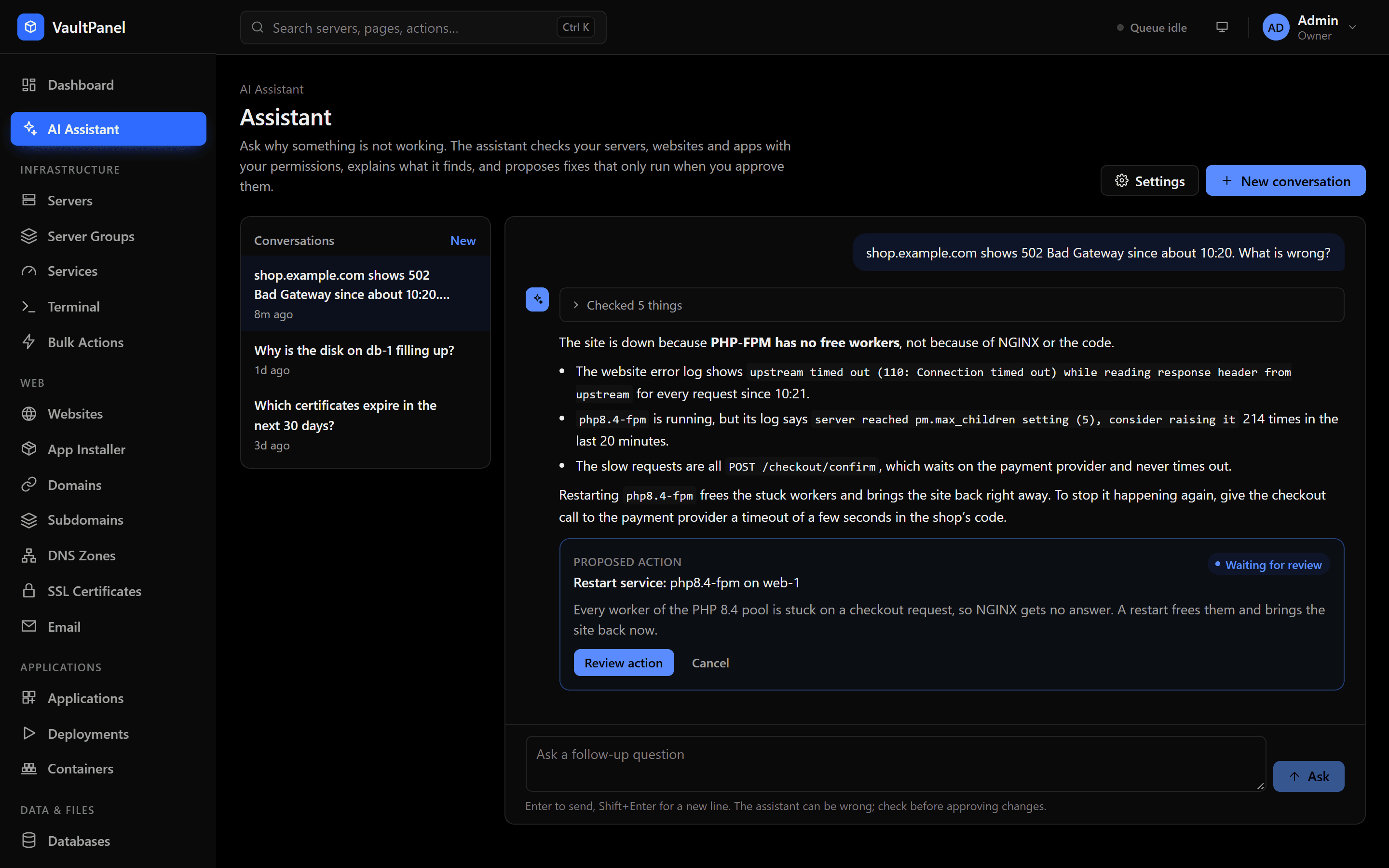
When a change would fix the problem, the assistant proposes it. You see a Proposed action card with what it will do and why, and choose Approve and run or Cancel. Only these changes can be proposed:
| Action | Needs |
|---|---|
| Restart app, Start app, Stop app, Deploy app again, Roll back app | applications.deploy |
| Apply saved settings and restart app | applications.manage |
| Restart service, Start service | servers.services |
| Turn website on, Retry website setup, Renew SSL certificate | websites.manage |
| Install server software | websites.manage |
An approved action runs as the person who approves it, through the same operation as the matching button elsewhere in the panel, and is recorded in the job history and the audit log. The card shows its progress until the job finishes. A card without the permission shows what it needs instead.
- A proposal can be approved for 60 minutes. After that it expires, because what it was based on may have changed; ask the assistant to check again.
- The assistant proposes at most 3 actions per answer.
- For fixes the panel has no action for, such as editing code or changing DNS at a registrar, it explains the steps and where to make them.
How an answer is produced
Asking a question saves it and queues the conversation for the panel's worker, which answers it:
The model is called
The provider gets a fixed system prompt, the tool definitions and the conversation so far. Each new question carries a short context note: the time, who is asking and their roles, and the outcome of actions proposed earlier in the conversation.
Tools run
When the model asks for tools, each call runs through the panel's services as the person who asked, and the results go back to the model.
Repeat or answer
This repeats for at most 12 rounds. When the model answers without asking for a tool, the answer is shown. After 12 rounds without an answer, the assistant says so; ask it to continue or narrow the question.
Every model reply, tool call and result is stored in order, and earlier turns are sent back exactly as stored. In long conversations, the oldest questions are dropped from what is sent, a whole question at a time.
Who can use it
Using the assistant needs the assistant.use permission, which the built-in admin, developer and viewer roles have (owners have every permission). Hosting customers cannot use it. Configuring it needs settings.manage.
Audit log
| Event | Recorded when |
|---|---|
assistant.conversation_start, assistant.conversation_delete | A conversation is started or deleted. |
assistant.action_propose | The assistant proposes an action. |
assistant.action_approve | Someone approves a proposal (with failure when it could not start). |
assistant.action_cancel | Someone cancels a proposal. |
assistant.settings_update | The provider settings change. API keys are logged only as changed or removed. |
Jobs the assistant's tools start, such as log reads, are recorded with the actor shown as email (assistant). Approved actions are recorded as the person who approved them.
API
The assistant is also available through the REST API under /api/v1/assistant. See the assistant API reference.
Financial report
See what your hosting accounts are worth at their plans' prices, per plan and month by month, and export the figures as CSV.
AI providers
Choose which AI service answers in VaultPanel's assistant — Claude, an OpenAI-compatible API such as Ollama or vLLM, or a free model on the panel's server.