Firewall
Manage UFW on each server from the panel, with incoming and outgoing rules, default policies and lockout protection for SSH and the panel.
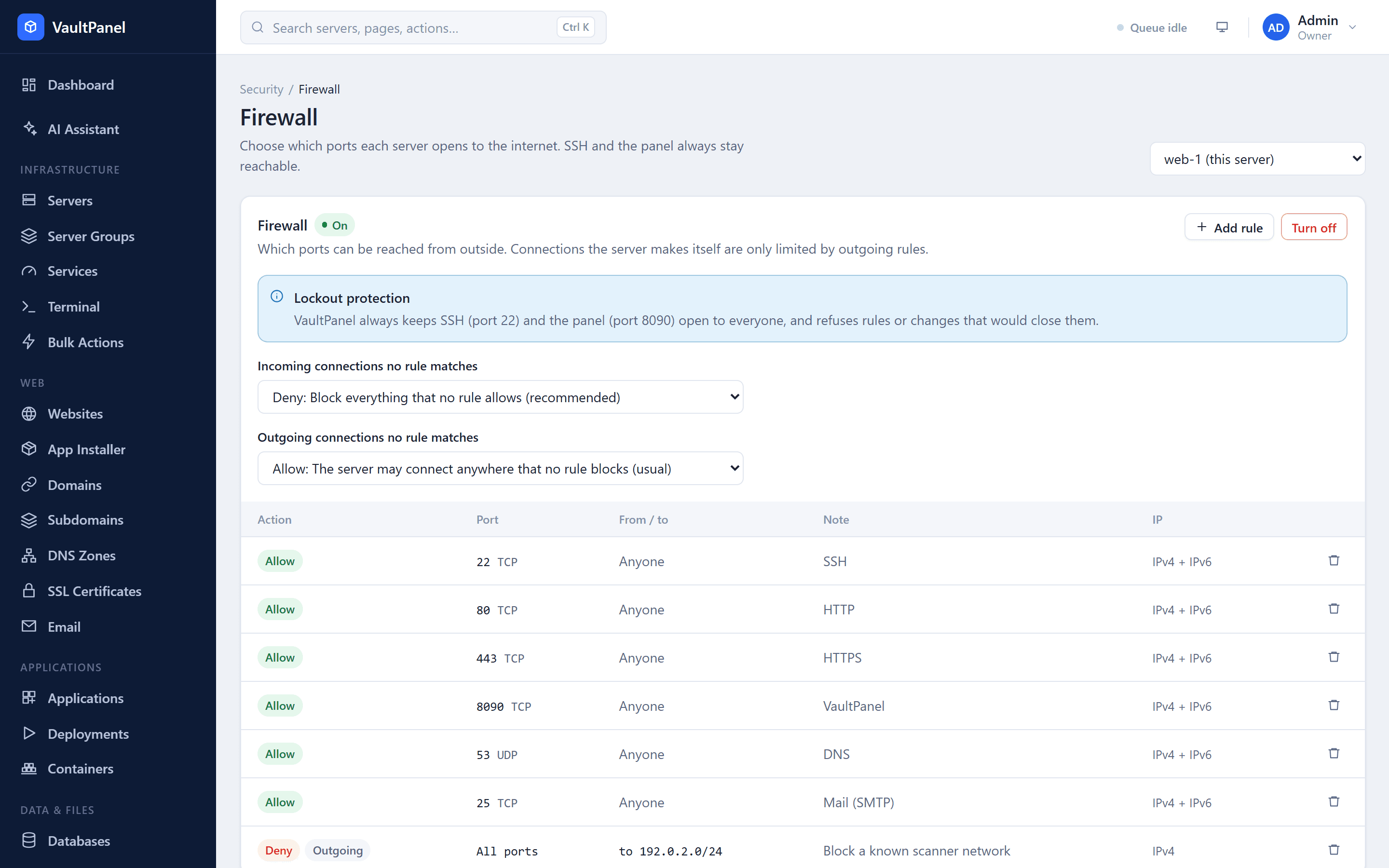
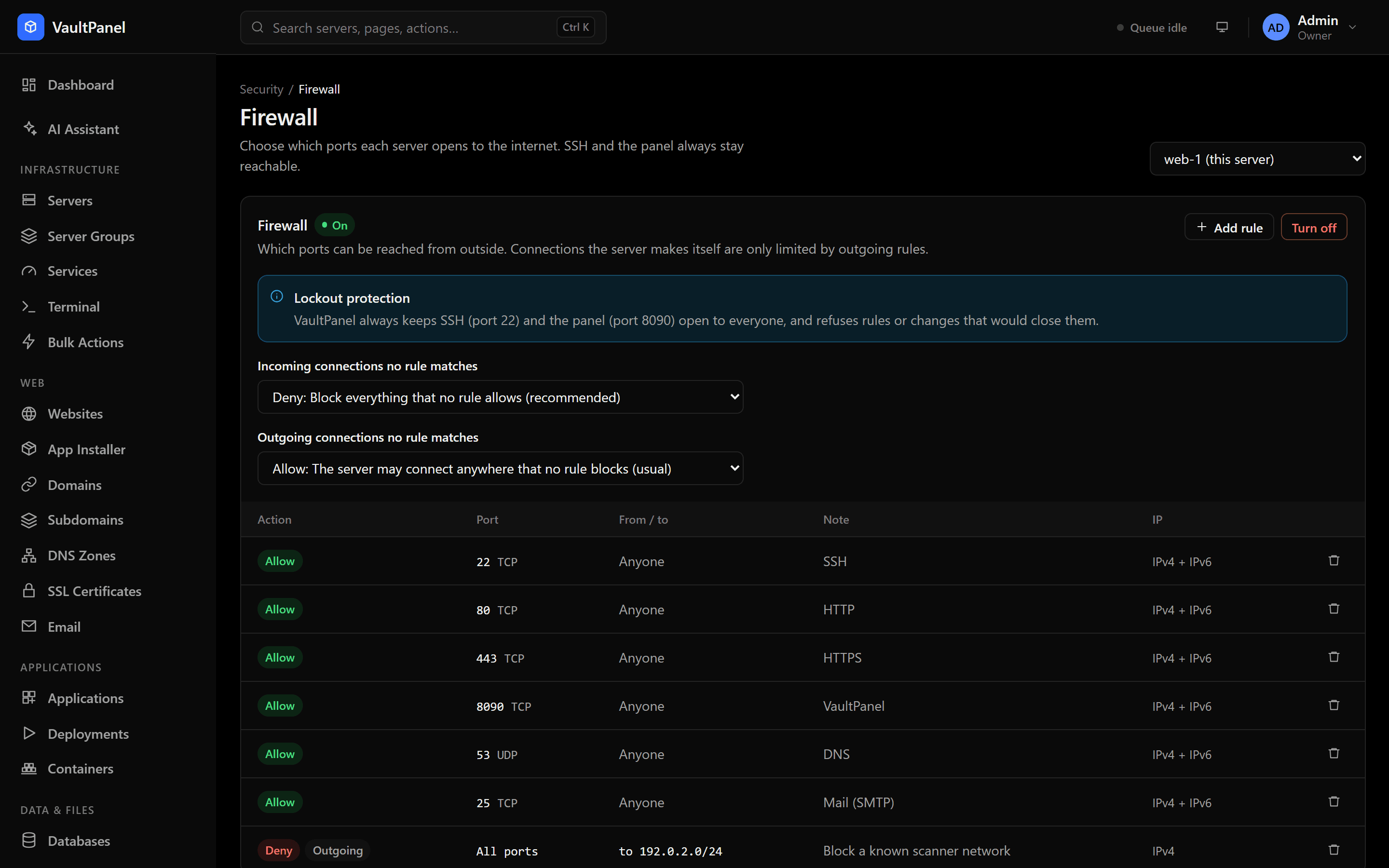
VaultPanel manages UFW, the Uncomplicated Firewall, on each server through its agent. You decide which ports can be reached from outside and, from agent 0.34.0, where the server itself may connect. The agent refuses any change that would lock you out of SSH or the panel.
Open Security > Firewall and pick a server, or the Firewall card on a server's Security tab. Viewing needs security.read; changes need security.manage.
Install and turn on
If UFW is missing, click Install UFW. Installing changes nothing until you turn the firewall on.
Turn on first adds rules that keep these open to everyone, then starts UFW:
- SSH, on every port it listens on (read from
sshd -T); - on the panel's own server, the port people reach the panel on;
- websites (ports 80 and 443), when NGINX is installed.
Every other incoming connection is then handled by the default policy. Open what else you need, such as an app on its own port or a database reached from outside, with Add rule before you turn the firewall on.
Turn off makes every listening port reachable again. The rules are kept and come back when you turn the firewall on again.
Default policies
Incoming connections no rule matches:
| Policy | Effect |
|---|---|
| Deny | Block everything that no rule allows (recommended) |
| Reject | Refuse everything that no rule allows, and tell the sender |
| Allow | Let everything in that no rule blocks |
Outgoing connections no rule matches (agent 0.34.0 and newer):
| Policy | Effect |
|---|---|
| Allow | The server may connect anywhere that no rule blocks (usual) |
| Deny | The server may only connect where a rule allows |
| Reject | Like Deny, but programs are told at once instead of waiting |
Before the outgoing default becomes Deny or Reject, the agent adds outgoing allow rules for what the server needs:
| Kept open | Ports |
|---|---|
| The panel's address and port, so the agent keeps reporting | The panel's port |
| DNS | 53 |
| Web, for updates, Git and Let's Encrypt | 80, 443 |
| Time (NTP) | 123 |
| Mail, if a mail server is installed | 25, 465, 587 |
Anything else a program needs to reach, such as an outside database or an API on its own port, needs its own outgoing allow rule.
Rules
Click Add rule and fill in:
| Field | Values |
|---|---|
| Direction | Incoming, or Outgoing (agent 0.34.0 and newer) |
| Action | Allow: let connections in. Limit: allow, but block an address that opens 6 or more connections in 30 seconds (good for SSH). Deny: drop connections silently. Reject: refuse connections and tell the sender. |
| Protocol | TCP, UDP, or TCP and UDP |
| Port | One port (8080), a list (80,443) or a range (6000:6007), up to 15 ports. Empty means every port. A list or range needs TCP or UDP. |
| Source or destination | any, an IP address, or a network such as 203.0.113.0/24. Incoming rules have a source; outgoing rules have a destination. |
| Note | Optional, up to 60 characters: letters, digits, spaces and . , : _ ( ) / + - |
A rule needs a port, an address, or both. Shortcuts fill in common ports: SSH (22), HTTP (80), HTTPS (443), Web (80 and 443), MySQL / MariaDB (3306) and PostgreSQL (5432).
Rules apply over IPv4 and IPv6. Deny and reject rules are placed first, so they win over allow rules. Changes apply right away.
Rules added outside VaultPanel, for example with ufw by hand, are listed with a note and left alone: change them with ufw.
Blocking an address
The Failed SSH sign-ins card on the SSH page lists the addresses that failed to sign in over the last 24 hours. Block adds a deny rule for one address. Your own address cannot be blocked this way. For automatic blocking, use Fail2ban.
Lockout protection
The agent knows the server, so it enforces these rules whatever the panel asks:
- A deny or reject rule from everyone on an SSH port or the panel's port is refused.
- Deleting the last rule that keeps one of those ports open is refused.
- An outgoing deny or reject rule that covers the panel's address and port is refused, as is deleting the last outgoing rule that keeps the panel reachable while outgoing connections are not allowed.
The panel also refuses a deny or reject rule that would block the address of the person adding it. Refused changes fail with LOCKOUT_REFUSED and a message saying what to add first.
If you get locked out
Use your hosting provider's web console, then run ufw allow 22/tcp or ufw disable.
If a server went offline after setting outgoing connections to Deny: the agent resolves the panel's address once, when the default changes. If the panel's IP address changed since, add an outgoing allow rule for the new address from the server's console, for example ufw allow out to 203.0.113.10 port 8090 proto tcp, or run ufw default allow outgoing.
If you open the panel on a port other than the one in its address, the firewall on the panel's own server does not know to keep it open. Add a rule for it, or fix the panel's address with vaultpanel url.