Hosting plans and customers
Sell hosting from VaultPanel with plans that cap what each customer may create, customer accounts that see only their own resources, suspension and removal.
VaultPanel can host other people. A hosting plan sets how many websites, apps, databases and cron jobs a customer may have, their disk space and caps on each app. A customer is a hosting account on a plan: a sign-in that sees only its own account, on a home server where everything it creates is placed.
You manage both under Hosting in the sidebar: Customers, Hosting Plans, Financial Report and Billing API. Billing systems such as WHMCS or Blesta can do the same through the billing API.
Hosting plans
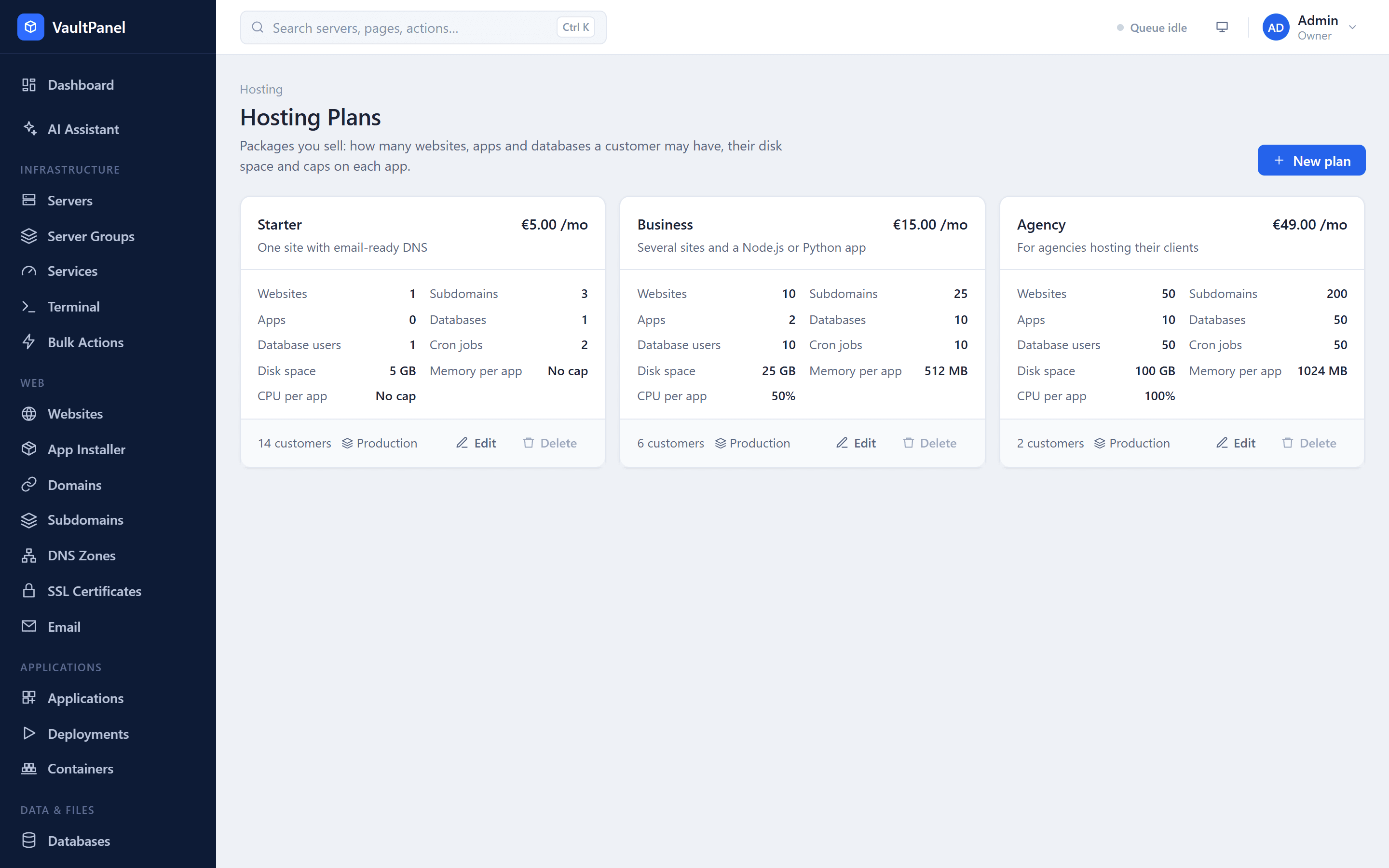
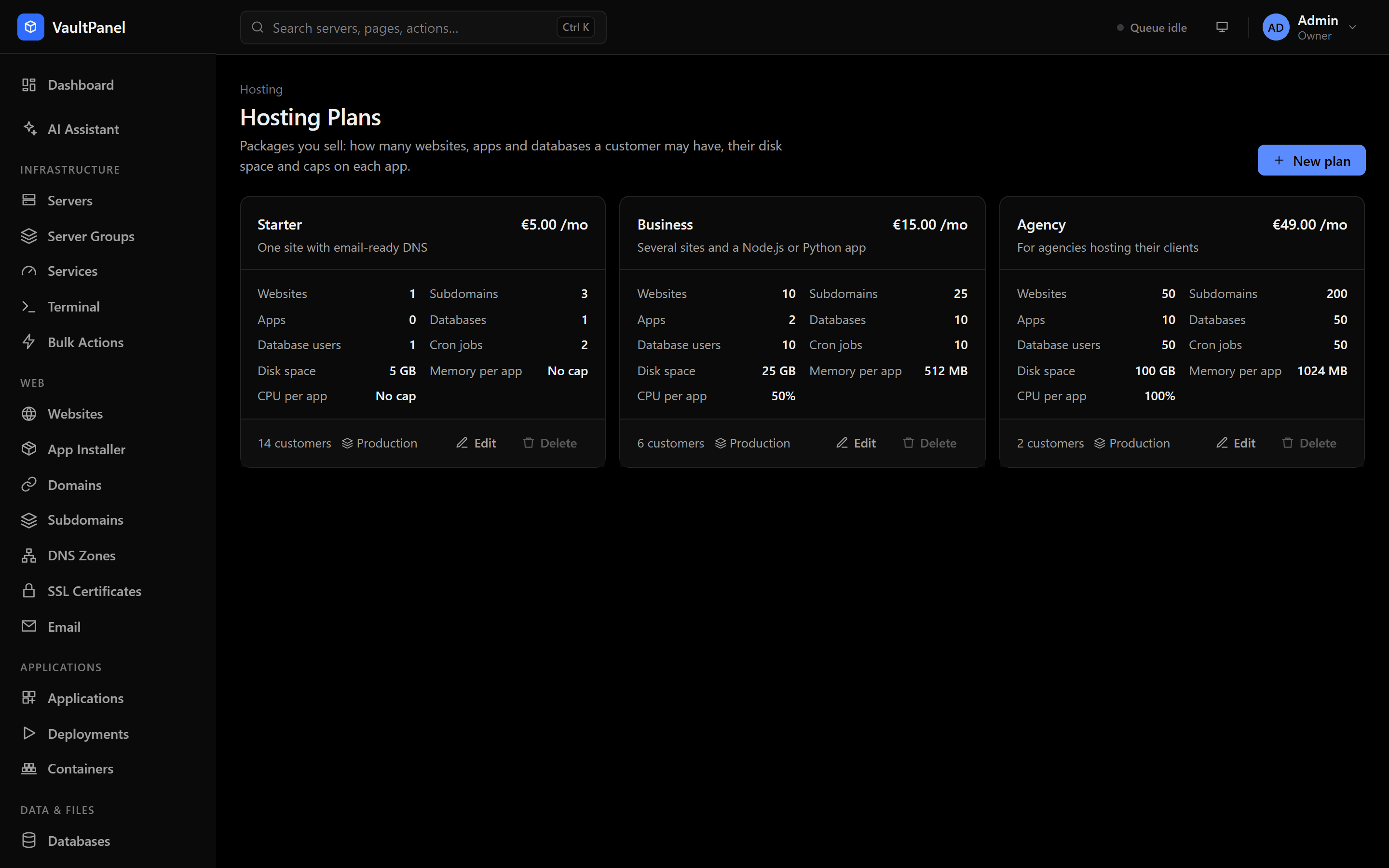
Open Hosting > Hosting Plans and click New hosting plan. A plan has:
| Field | Description |
|---|---|
| Name | Up to 60 characters: letters, numbers, spaces and . _ - + ( ) &. Unique. Billing systems can refer to a plan by its name. |
| Servers | Any server, or a server group. New accounts on the plan are placed on a server from that group. |
| Description | Up to 300 characters. |
| Billed | Monthly, Every 3 months, Yearly or Free. |
| Amount and Currency | The price per billing period and a 3-letter currency code (default USD). Empty for no price. |
| Limits per customer | See below. Leave a limit empty for unlimited. |
| Caps on each app | See below. Leave a cap empty for no cap. |
| Offered for new accounts | Inactive plans keep their customers but cannot be picked for new accounts or by billing systems. |
Limits per customer
| Limit | What it counts |
|---|---|
| Websites | Websites, not counting the website an app gets for its domains. |
| Subdomains | Subdomains of the account's own domains, each served as its own site. |
| Apps | Applications. |
| Databases | MariaDB databases. |
| Database users | MariaDB users. |
| Cron jobs | Scheduled commands. |
| Disk space | Website and app folders plus databases. Entered in GB in the form, stored in MB. |
Counts go up to 10,000 and 0 is allowed. An app and its own website share one folder, which counts once, for the app.
Caps on each app
| Cap | Range |
|---|---|
| Memory per app (MB) | 64 to 262,144 |
| CPU per app (%) | 10 to 6,400 (100% is one CPU core) |
Caps become the CPU and memory limits of every app the plan's customers run. An app without a limit, or with one above the cap, gets the cap. Lowering a cap on an existing plan lowers the limits of the apps already there; the new limit shows as a change to apply and takes effect on the app's next deploy or Apply changes.
Changing and deleting plans
Changing a plan's limits applies to its customers right away. A plan cannot be deleted while any customer is on it, removed accounts included (PLAN_IN_USE). Move them to another plan, or turn off Offered for new accounts instead.
Customers
Open Hosting > Customers and click New customer:
| Field | Description |
|---|---|
| Name | The customer's name. |
| They sign in with it. One account per email address across the panel. | |
| Company | Optional. |
| Plan | Only plans offered for new accounts are listed. |
| Server | A server, or Choose for me. |
| Billing id | Optional. The id your billing system uses for this account: letters, digits and . _ : -, up to 100 characters, unique. |
| Notes | Only your team sees these. Up to 1,000 characters. |
With Choose for me, VaultPanel picks a server from the plan's server group (or any server): online servers first, then the one with the fewest customers. Creating an account fails with NO_SERVER when no connected server is available.
The panel creates the customer's sign-in and shows an invite link. Send it to the customer: they choose their password with it, then sign in. The link works for 72 hours. Billing systems can set a password directly instead.
What customers see
Customers have the built-in customer role. They sign in at the same address as your team and see only their own account:
- My Hosting: their plan, usage against each limit, their server's address (where to point their domains), their app ports and, when set up, the name servers to use.
- Websites, App Installer, Domains, Subdomains, SSL Certificates, Applications, Deployments, Databases, File Manager, Backups, Cron Jobs, Activity and API Tokens.
Anything that is not theirs reads as not found, so the ids of other accounts cannot be probed. Everything they create lands on their account's server. Customers cannot install software on a server or change server settings.
Quotas
Before anything new is created for an account, VaultPanel checks that the account is active and below its plan's limit for that kind of resource. Checks for one account run one at a time, so two requests cannot both take the last free slot. Creating a website, subdomain, app or database is also refused once the account uses all of its disk space.
A refused create returns 409 QUOTA_REACHED with the limit and the current count, for example: "The Starter plan allows 3 websites and this account has 3. Delete one or move to a bigger plan."
Disk use of website and app folders is measured by the server's agent about every 15 minutes; databases count with their size.
App ports
Each customer has their own app ports on their server, picked from 10000 to 19999: one per app their plan allows (with no app limit, one more than the apps they have). Their apps can only listen on these ports, and no other app, staff's or another customer's, can take them. The ports are listed on the customer's page under App ports and on their My Hosting page.
Changing a customer's plan
On the customer's page, click Change plan. Limits apply right away; CPU and memory caps reach running apps on their next deploy or apply. Nothing is deleted when the account is over the smaller plan's limits: the customer's page shows Over plan, and new resources are refused until the account is back under its limits or moves to a bigger plan.
Moving existing resources into an account
What the account owns lists the account's websites, apps, databases and database users. Click Add existing to give the account a website, app, database or database user your team created; it then counts toward the plan. A resource that belongs to another customer must be taken from that account first. Moving an app moves its website with it, and the app's port becomes one of the account's ports.
Take back returns a resource to your team: it keeps running where it is, but the customer no longer sees it and it stops counting toward their plan. The website that serves the panel itself on its domain can never belong to a customer.
Suspending and removing accounts
| Action | What happens |
|---|---|
| Suspend | The customer is signed out and cannot sign in. Their websites are turned off, apps stopped and cron jobs paused. Nothing is deleted. An optional reason is shown to your team only. |
| Unsuspend | Turns back on exactly what suspending turned off, and lets the customer sign in again. |
| Remove account | Deletes every cron job, app, website, database and database user the account owns, with their files, data and backups, and the DNS zones added for it. The sign-in is closed. It cannot be undone. |
You confirm Remove account by typing the customer's email. A removed account stays in the list (filter by status Removed) for your history; only its notes can change. If something could not be deleted the first time, for example because it was busy with another change, Retry deletion runs the removal again for what is left. Suspending again likewise catches what was busy the first time.
Password reset link creates a link the customer uses to choose a new password. It works for 2 hours.
Name servers for customers
On the DNS Zones page, each server can tell its customers which name servers to set at their registrar, and add a DNS zone on the server for each new domain a customer gives a website. Customers then see those name servers and their zones on My Hosting. See DNS zones.
Permissions
| Permission | Allows |
|---|---|
customers.read | View customers, plans and the financial report. |
customers.manage | Create, change, suspend, unsuspend and remove customers. |
plans.manage | Create, change and delete plans. |
billing.manage | Create and revoke billing API keys. |
See Users and roles and the hosting API.
Personal data and GDPR
The personal data a VaultPanel panel keeps, where it goes and for how long, and how to answer access and erasure requests (GDPR and similar laws).
Billing API
Connect WHMCS, Blesta or your own billing system to VaultPanel with a vpk_ API key that creates, suspends, upgrades and removes hosting accounts.