Websites
Create static, PHP and reverse proxy websites on your servers, and learn what VaultPanel sets up for each one in Linux, NGINX and PHP-FPM.
A website in VaultPanel is a site served by NGINX on one of your servers: its own Linux user and folder, its own NGINX configuration, and for PHP sites its own PHP-FPM pool. You create and change it in the panel; the server's agent does the work and checks that the site answers afterwards.
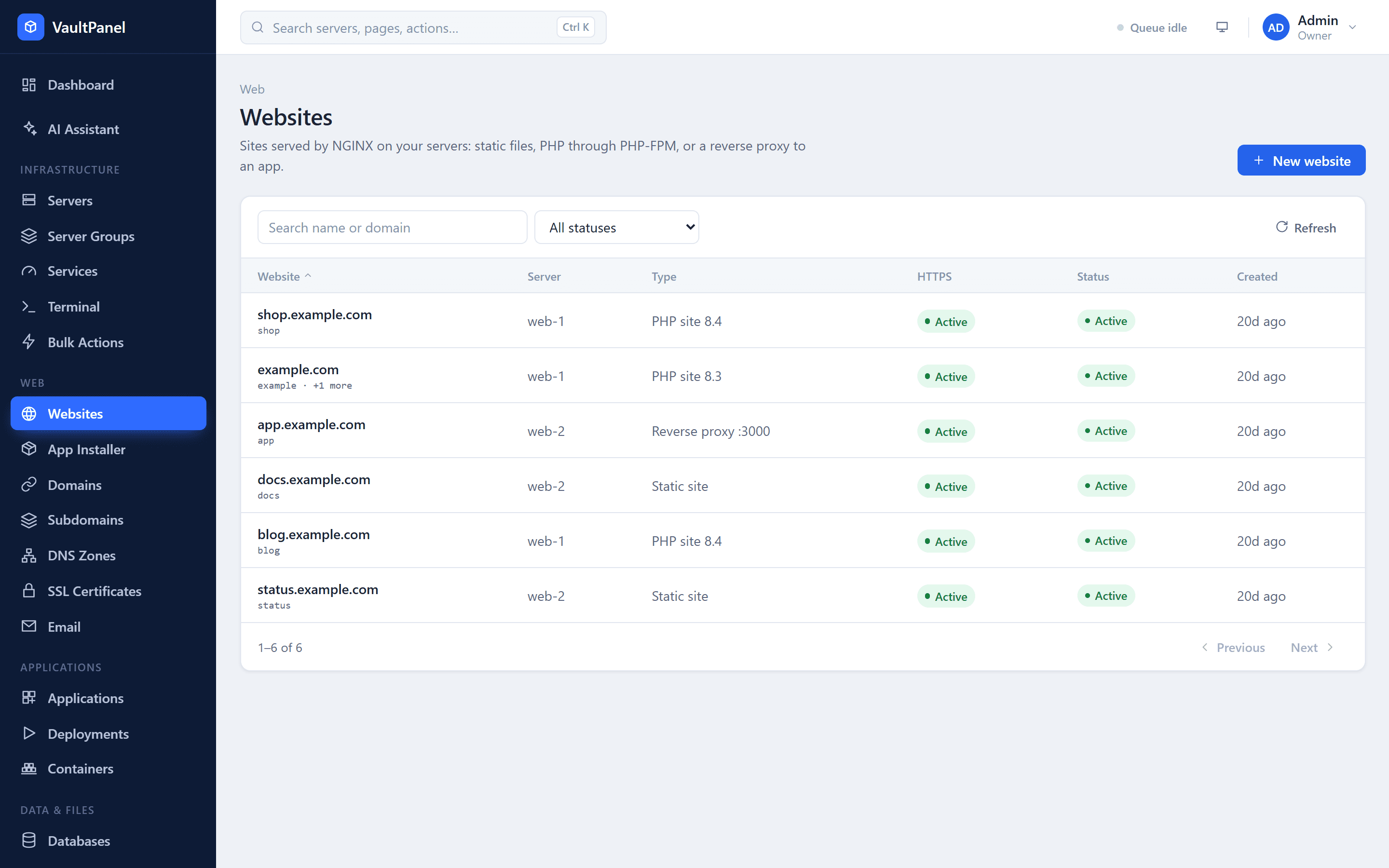
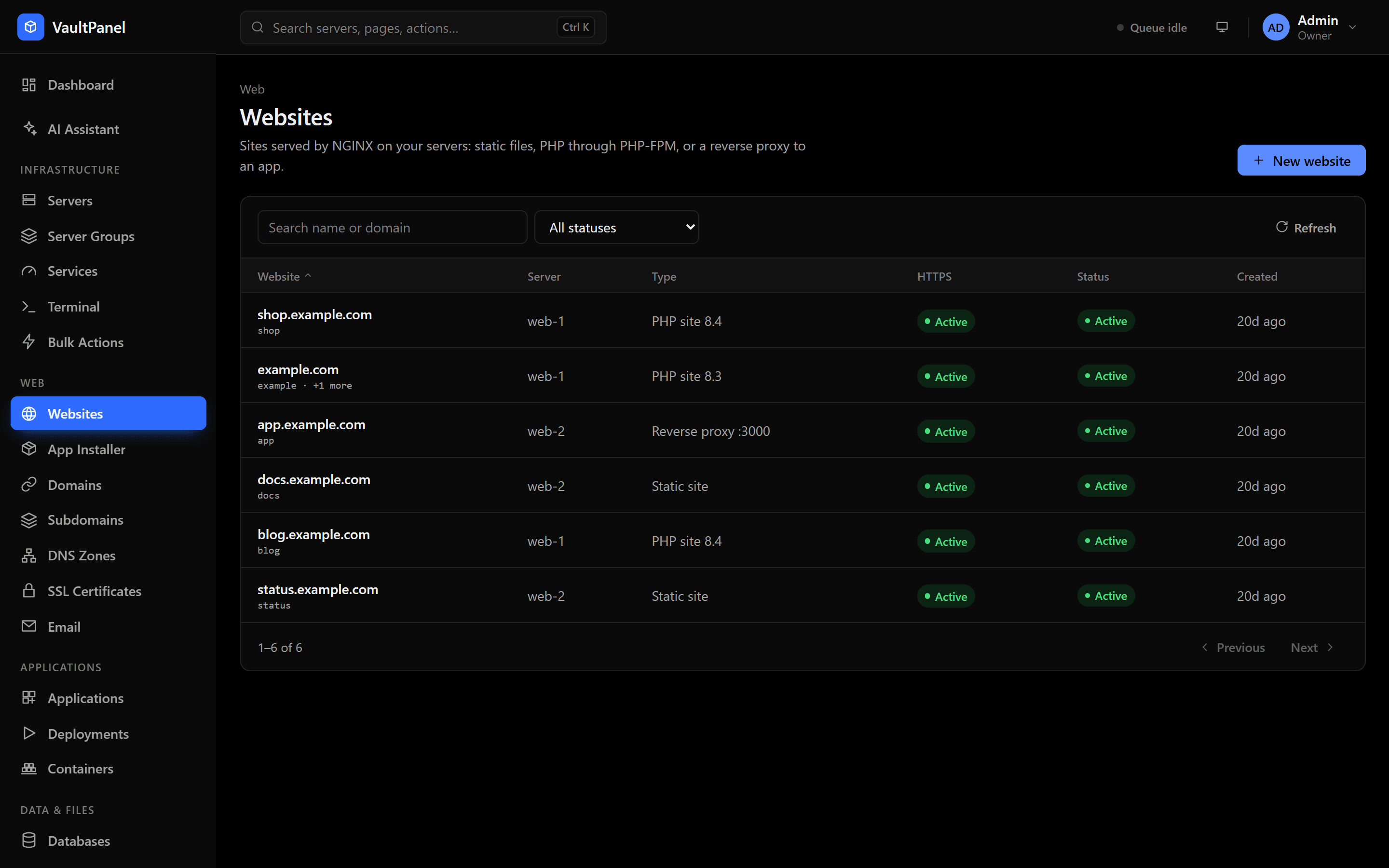
Website types
| Type | What it serves | Use it for |
|---|---|---|
| Static site | HTML, CSS, JavaScript and other files, as they are. | Plain HTML sites, built front ends (Vite, React, Vue, Hugo) and single-page apps. |
| PHP site | PHP through the site's own PHP-FPM pool, running as the site user. | WordPress, Laravel, Symfony and any other PHP application. |
| Reverse proxy | Forwards requests to an app listening on a port on 127.0.0.1. | Node.js, Python, Go or Ruby apps. |
The website of an app you deploy from Applications is a reverse proxy that VaultPanel creates and links for you. See Applications.
Before you start
- The server is connected and its agent reports in. See Connecting servers.
- NGINX is installed. Open the server's page, go to the Websites tab and use the Web stack card to install NGINX, PHP-FPM and Certbot (or Install all missing). VaultPanel refuses to create a website on a server without NGINX.
- For a PHP site, at least one PHP version is installed on the server. See PHP versions.
Create a website
Open the form
Go to Web > Websites and click New website.
Choose the type and the server
Pick Static site, PHP site or Reverse proxy, and the Server the site runs on. Only servers with a connected agent are listed.
Fill in the fields
| Field | Required | Notes |
|---|---|---|
| Domain | Yes | The primary domain, such as example.com. Point its DNS at the server before you issue a certificate. |
| Site name | Yes | Also the site's Linux user and folder name, so it cannot be changed later. 3 to 32 characters: lowercase letters, digits and dashes, starting with a letter. System names such as root, www-data, nginx or mysql are reserved. |
| More domains | No | One per line: www.example.com, a subdomain, or a wildcard such as *.example.com. Up to 20 domains in total. |
| PHP version | PHP sites | One of the versions installed on the server. |
| App port | Reverse proxies | The port your app listens on. Requests go to 127.0.0.1 on this port. |
| Document root | No | The folder inside the site that is served. Defaults to public. Not used by reverse proxies. |
Create it
Click Create website. The website shows as Creating while the agent sets it up, then Active. The page links to the operation log, so you can follow each step.
A domain can belong to one website only. VaultPanel refuses a domain another site already lists, and the panel's own domain (see Panel HTTPS and domain).
What VaultPanel sets up
Creating a website runs one operation on the server. Every step checks what is already there, so running it again is safe.
- A Linux user named after the site, with no login shell (
/usr/sbin/nologin) and its own group. NGINX's user (www-data) joins that group so it can read the site's files. - The site's home folder at
/var/www/<site name>, readable by the site user and its group only, with the document root,tmpandlogsfolders inside. A new site gets a placeholderindex.html(orindex.php) in its document root, which you replace with your own files. - A PHP-FPM pool for PHP sites, running as the site user.
- An NGINX server block, tested with
nginx -tbefore NGINX reloads. - A health check: the agent asks NGINX on the server for the site's front page and records the answer.
| Path | What it is |
|---|---|
/var/www/<site name> | The site's home folder. |
/etc/nginx/sites-available/<site name>.conf | The site's NGINX configuration, linked from sites-enabled while the site is enabled. |
/etc/php/<version>/fpm/pool.d/<site name>.conf | The site's PHP-FPM pool (PHP sites). |
/var/log/nginx/vp-<site name>.access.log | NGINX access log. |
/var/log/nginx/vp-<site name>.error.log | NGINX error log. |
/var/www/<site name>/logs/php-error.log | PHP errors (PHP sites). |
The NGINX configuration
VaultPanel generates each site's server block from its settings, and overwrites it whenever you save the site in the panel. Do not edit the file by hand: use custom NGINX rules instead.
- Every site serves
/.well-known/acme-challenge/from a shared folder over HTTP, so Let's Encrypt can issue and renew certificates for any site type. - Hidden files such as
.envand.gitare never served. - Requests can carry up to 64 MB (
client_max_body_size 64m). - Static sites serve files with
try_files. PHP sites send.phprequests to the site's PHP-FPM socket. Reverse proxies forward to127.0.0.1:<port>with the usualHost,X-Real-IP,X-Forwarded-ForandX-Forwarded-Protoheaders, and pass WebSocket upgrades. - With an active certificate, a second server block serves HTTPS on port 443 (TLS 1.2 and 1.3, HTTP/2). Redirect HTTP to HTTPS sends plain HTTP visitors there.
- IPv6 listeners are added only when the server has IPv6.
If nginx -t rejects the new configuration, the agent puts the previous one back and the change fails with the test's output. A bad change never takes NGINX down.
The PHP-FPM pool
Each PHP site's pool runs as the site user on its own socket, so one site cannot read another's files. The pool starts PHP processes on demand (up to 10), limits PHP to the site's home folder with open_basedir, keeps sessions and uploads in the site's tmp folder, and allows uploads up to 64 MB.
The website page
Open a website from Web > Websites to manage it. Tabs appear according to the site's type and your permissions.
| Tab | What it holds |
|---|---|
| Overview | Status, health check, uptime and, for PHP sites, the PHP version card. |
| Domains | The site's domains and their DNS status. See Domains. |
| SSL | The certificate. See SSL certificates. |
| Deployments | Git deploy for static and PHP sites. See Git deploy. |
| Environment | Variables for Git deploy builds. |
| Files | The file manager for this site. |
| Logs | The last 100 to 2,000 lines of the site's NGINX access or error log. |
| Apps | The app installer, for PHP sites. |
| Backups, Cron | The site's backups and cron jobs. |
| Settings | Type, PHP version, app port, document root, single-page app, .htaccess files, custom NGINX rules, disable and delete. |
Change a website's settings
On the Settings tab you can change:
- Type: switch between static, PHP and reverse proxy. A site deployed from Git keeps its type until you turn Git deploy off.
- PHP version (PHP sites) and App port (reverse proxies).
- Document root: the folder inside the site that is served.
- Single-page app (static sites): addresses with no file of their own get
index.html, so links such as/dashboardwork after a refresh in React, Vue or Angular apps. - Use .htaccess files (static and PHP sites): see NGINX rules and .htaccess.
Each change runs as one operation. The site shows Applying changes until it finishes, and only one change can run at a time. A failed change leaves the site as it was, both in the panel and on the server.
Environment variables
The Environment tab holds variables for websites deployed from Git. They are stored encrypted in the panel and passed to the install and build commands of each deployment.
- Static sites: a build copies the variables it uses (such as
VITE_API_URL) into the site's files, where visitors can read them. Never put passwords or private keys here. - PHP sites: the variables are also written to the release's
.envfile, where Laravel and Symfony read them. This happens only when the site serves a folder of the repository (such aspublic) and the repository has no.envfile of its own.
Use Edit as text to paste them in KEY=value form, one per line. See Git deploy.
Disable, enable and delete
- Disable website stops NGINX from serving the site. Its files, user and certificate are kept, and Enable website serves it again.
- Delete website removes the site's NGINX configuration, its PHP-FPM pool, its Apache site (when
.htaccessfiles are on) and its certificate from the server. You type the site name to confirm.
When you delete a website, Also delete the files decides what happens to its files:
- Off (the default): the Linux user and
/var/www/<site name>stay on the server. Creating a site with the same name later uses them again. - On: VaultPanel deletes the Linux user, everything in its home folder and its NGINX logs. This cannot be undone.
A website that serves an app is deleted without its files: the app keeps running on its port and only its domains stop being served. Delete the app to remove its files.
Website statuses
| Status | Meaning |
|---|---|
| Creating | The agent is setting the site up. |
| Active | The site is live. |
| Applying changes | A change is running. |
| Disabled | NGINX does not serve the site. |
| Deleting | The site is being removed. |
| Failed | The site was never created on its server. Use Try again, or delete it. |
The list also shows Not answering when the agent's health check failed after the last change, and Down when uptime monitoring finds the site unreachable.
Hosting customers
Customers on a hosting plan see and manage only their own websites, and each one counts against their plan. A customer's reverse proxy can only point at the port of one of their own apps, and a customer cannot add a domain under another account's domain or under one of the panel's DNS zones that is not theirs. Custom NGINX rules are set by staff only.
Permissions
| Permission | Allows |
|---|---|
websites.read | Seeing websites, domains and certificates. |
websites.manage | Creating, changing, deleting websites and their certificates. |
websites.logs | Reading the NGINX logs. |
files.read, files.write | Browsing and changing files in the file manager. |
See Users and roles.
Next steps
Server groups and bulk actions
Group servers such as Production or Europe, watch their health together, and run one operation on many servers at once or one at a time.
Domains
Add aliases and wildcard domains to a website, create subdomains as sites of their own, and check that each domain points at the right server.