Caching
Speed up PHP websites with NGINX's page cache, and WordPress with a Redis object cache that gives each website its own account.
VaultPanel has two caches for PHP websites. They work separately, and a WordPress site can use both.
| Cache | What it keeps | Where you turn it on |
|---|---|---|
| Page cache | Finished pages, served by NGINX without running PHP. | The Page cache card on a PHP website's Settings tab. |
| Object cache (Redis) | The answers of WordPress's database queries. | The Object cache (Redis) card on the website's WordPress tab. |
Page cache
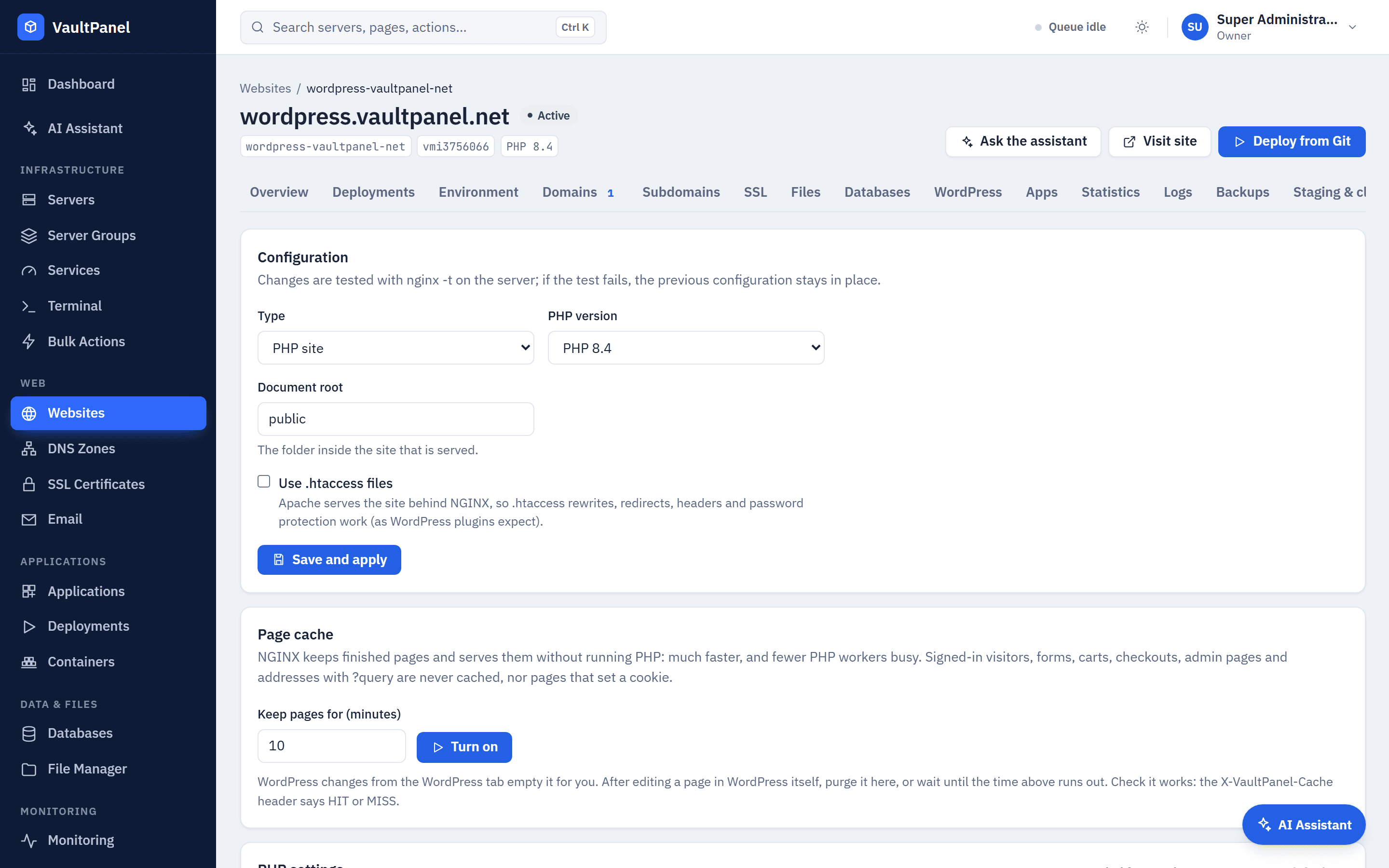
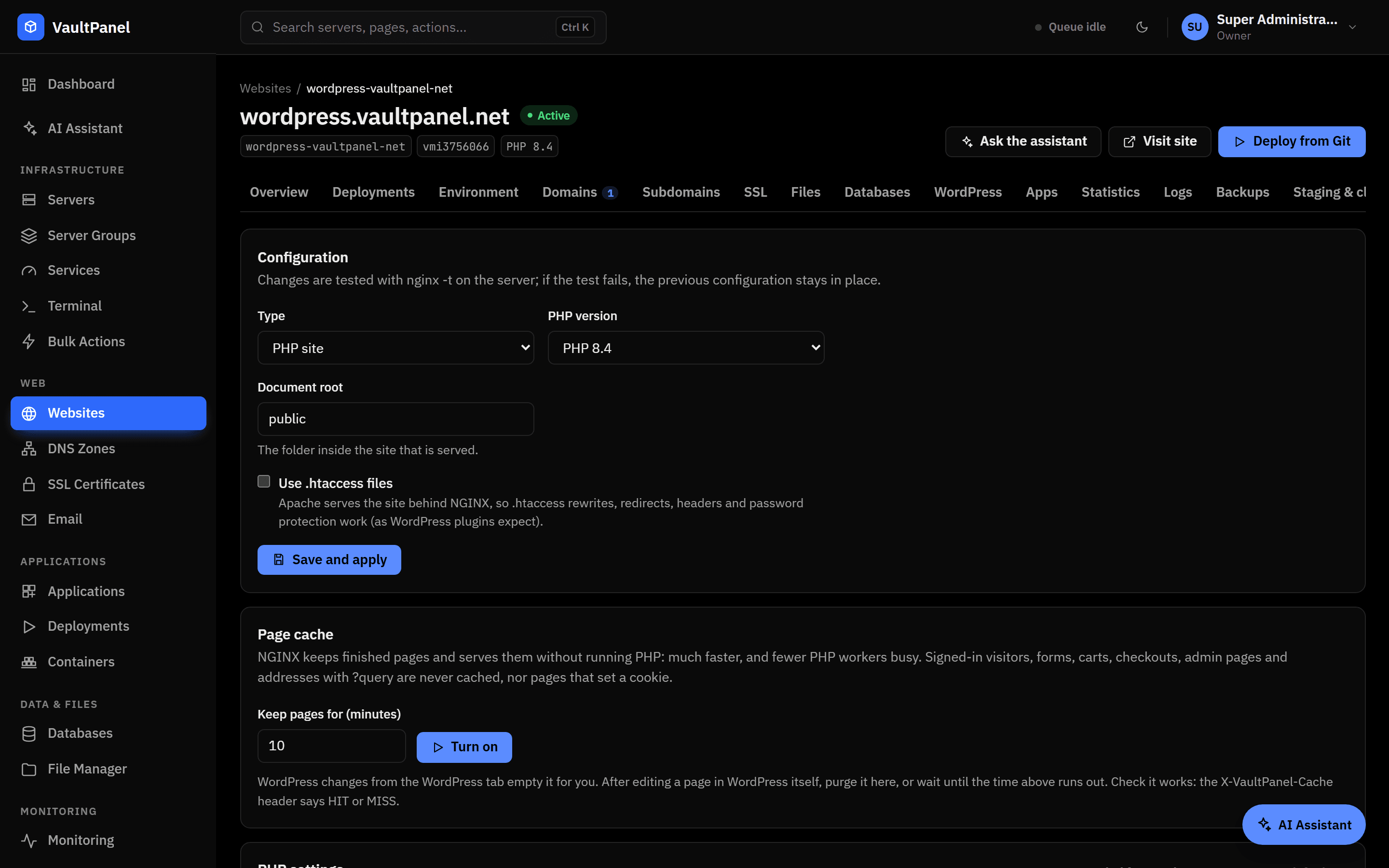
The page cache is NGINX's FastCGI cache. NGINX keeps each finished page for the time you choose and serves it to the next visitors without running PHP, so pages load faster and fewer PHP workers are busy.
Turn it on
- Open the PHP website and go to the Settings tab.
- In the Page cache card, set Keep pages for (minutes): 1 to 1440 (a day). The default is 10.
- Click Turn on.
To change the time later, edit it and click Save and apply. Turn off stops caching.
What is never cached
- Signed-in visitors and visitors with a session: WordPress, WooCommerce, Laravel, Joomla and Drupal session cookies, and plain
PHPSESSID. - Forms and anything that is not a
GETorHEADrequest. - Addresses with a query string (
?…). - Admin and sign-in pages, carts, checkouts and account pages:
/wp-admin/,wp-login.php,xmlrpc.php,/wp-json/,wp-cron.php,/cart,/checkout,/my-account,/basket,/administrator/, feeds and XML sitemaps. - Pages that set a cookie.
Only answers with status 200, 301 and 302 are kept.
Empty the cache
Click Purge cache in the Page cache card. Every page is made fresh on its next visit.
Changes from the WordPress tools (updates, plugins, theme and maintenance mode) empty the cache on their own. After you edit a page in WordPress itself, purge the cache or wait until the time runs out.
Check that it works
Pages served through the cache carry an X-VaultPanel-Cache header: HIT when NGINX served the page from the cache, MISS when PHP made it.
curl -sI https://example.com/ | grep -i x-vaultpanel-cacheThe header is left out when the site's custom NGINX rules contain their own add_header lines, so those rules keep working.
Limits
- PHP websites only.
- Not with
.htaccessfiles: with Use .htaccess files on, Apache runs PHP, and the card asks you to turn.htaccessfiles off first. - Clones and staging copies keep the page cache setting of the website they copy.
Redis object cache for WordPress
WordPress can keep the answers of its database queries in Redis, so pages and the dashboard build faster, especially with WooCommerce and many plugins.
Install Redis on the server
- Open the server and go to its Databases tab.
- In the Database server card, install Redis.
VaultPanel runs its own Redis for websites, vaultpanel-redis, apart from any other Redis on the server:
- It listens on
127.0.0.1port 6380 only. - It is a cache only: nothing is written to disk, it uses up to 256 MB, and the least used keys are dropped when it is full.
- Each website has its own Redis account that reaches only that website's keys, without administrative or dangerous commands. One website cannot read or empty another's cached data.
- The stock
redis-serverservice, which has no password, is stopped and disabled.
Turn it on for a website
Open the website's WordPress tab and click Turn on in the Object cache (Redis) card. The agent:
- installs the Redis Object Cache plugin from wordpress.org, if it is not there yet,
- writes its settings to
wp-config.php, - checks that WordPress reaches Redis, and takes it all back if it does not.
The card then shows On when WordPress reaches Redis, or Not connected when it cannot. Pages still work without the cache; check that vaultpanel-redis runs on the server's Services tab.
Empty object cache removes the website's cached keys and says how many went. Turn off stops using Redis.
If another plugin already provides an object cache (wp-content/object-cache.php), the card names it. Turn that plugin off in WordPress to use Redis here.
Permissions
Turning either cache on or off and emptying it needs the websites.manage permission. Installing Redis on a server needs websites.manage too.
Related
- PHP settings for PHP workers and memory.
- API reference for
pageCacheand purging.
PHP settings
Set a PHP website's largest upload, memory per request, longest run time, form fields and PHP workers, written to its own PHP-FPM pool.
NGINX rules and .htaccess
Add custom NGINX directives to a website's server block, or turn on .htaccess files so Apache serves the site behind NGINX for rewrites and protection.